
Sale Readiness: Promotion Audit for Shopify
Before a Shopify sale goes live, it’s easy to miss a product with an unexpected markdown, a discount that might overlap with the sale, or a collection that needs a closer look. Sale Readiness brings those checks together in a read-only inspection.
Start with a free inspection summary. Full Inspection reveals the specific findings and review actions that help you prepare with greater peace of mind.
Built for Shopify Admin. Public App Store availability has yet to be confirmed. Contact support with installation questions.
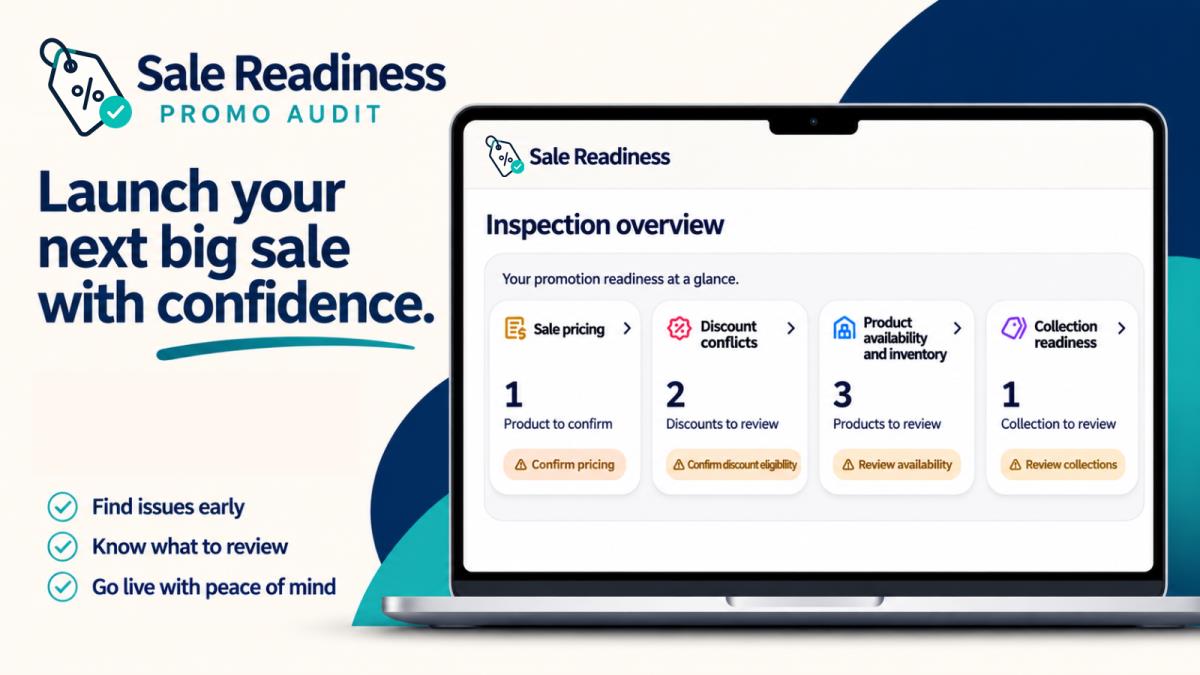
Four areas. One clearer starting point.
Review the details that matter.
- Sale pricingReview unusual promotional pricing patterns and confirm that markdowns are intentional.
- Potential discount conflictsIdentify discounts that may apply to products already on sale. Actual eligibility depends on the discount and checkout conditions.
- Product availability and inventoryReview publication and inventory observations that may affect products intended for your promotion.
- Collection readinessReview collection observations, including membership, active products, and publication evidence where it can be verified.
Prepare → Inspect → Review
Turn findings into informed decisions.
- Prepare your inspection. Choose the entire catalog, a collection, or selected products, with optional promotion dates.
- Run a free inspection. See summary counts and statuses across all four readiness categories.
- Unlock the details when you need them. Review affected products, discounts, collections, and suggested manual checks with Full Inspection.
- Review records directly in Shopify Admin. Product, discount, and collection links open in a new tab so you can keep your findings open.
Sale Readiness is read-only. It does not edit products, change prices, create discounts, or automatically fix issues. Findings help guide your review. They do not guarantee that every issue will be detected. Coverage limits and unavailable evidence are disclosed in the app. Illustrative discount prices are not guaranteed checkout outcomes, and the inspection does not assume discounts combine.
Start free. Go deeper when you need to.
Confidence before your next promotion.
Free Inspection
$0
Run an inspection and see the four category summaries, counts, and statuses. Detailed findings remain locked.
Full Inspection
$19.99 USD
One-time purchase for 30 days of full access, including unlimited detailed inspections, affected records, and recommended review actions.
No subscription or automatic renewal. Purchase approval takes place through Shopify.
For installation, purchase recovery, or access questions, visit Sale Readiness support.
When to run an inspection
Before a seasonal sale, inspect the collection linked from your campaign. For a smaller launch, select the individual products in the promotion and review any pricing or availability findings before sending customers to the store.
Frequently asked questions
- Can I audit just one sale collection?
- Yes. Select a collection, choose specific products, or inspect the full catalog. You can also enter promotion dates.
- Will it tell me exactly what a customer will pay at checkout?
- Findings identify potential discount overlap for you to review. The actual price depends on eligibility, discount settings, and checkout conditions.
- Can it apply fixes to my store?
- The inspection is read-only. Review the affected records and apply any changes in Shopify Admin.
More Shopify apps
Storekeeper · Run 13 read-only checks for duplicate barcodes, missing product information, and SEO issues.