

Storekeeper: Shopify Catalog Inspector
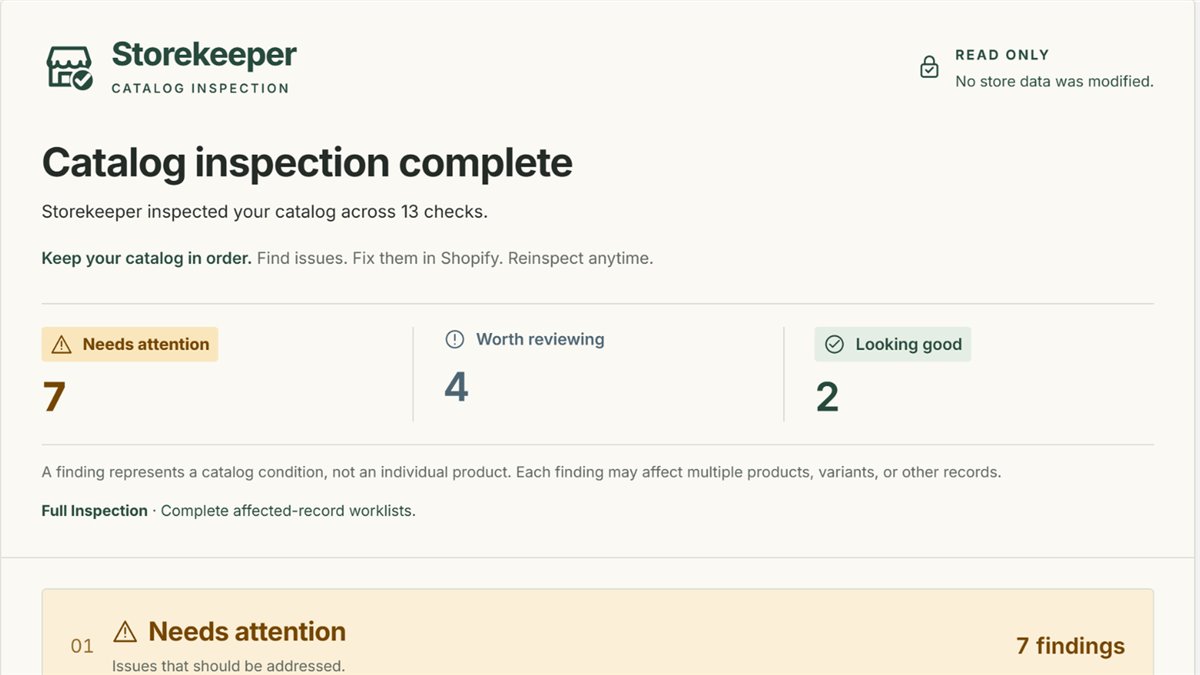
Bulk imports, migrations, and years of editing can leave a Shopify catalog with duplicate barcodes, missing SKUs, or empty collections. Storekeeper runs 13 read-only checks so you can see where cleanup should start.
Review your catalog's overall health for free. Unlock detailed worklists and downloadable reports when you're ready to address the findings.
Built for Shopify Admin. Public Shopify App Store availability has yet to be confirmed. Contact support with installation questions.
Clarity before cleanup
Know what needs attention.
- Read-only product catalog inspectionsYour products stay under your control. Storekeeper makes no automatic changes.
- 13 catalog checksSpot missing information, potential duplicates, SEO issues, and catalog inconsistencies.
- A free inspection summarySee finding counts and statuses, with up to three affected-record previews per finding.
- Full Inspection worklists and exportsReview complete affected-record lists and download CSV, Excel (XLSX), and PDF exports.
Inspect. Review. Correct. Repeat.
A clear starting point for cleanup.
- Inspect your Shopify catalog. Run the read-only catalog checks.
- See which issues need attention. Start with the free summary and limited previews.
- Review affected products. Use Full Inspection for detailed worklists and downloadable cleanup exports.
- Make corrections directly in Shopify. Follow product links, make your changes, and reinspect.
Findings guide your review. They do not guarantee that every catalog problem has been found. Saved inspections describe your catalog at the displayed inspection time.
Start with a free inspection
Go deeper when you're ready.
Free Inspection
$0
Inspection summary, finding counts and statuses, and up to three affected-record previews per finding.
Full Inspection
$19.99 USD
One-time purchase for 30 days of access to detailed worklists and CSV, Excel (XLSX), and PDF exports.
Access begins when Storekeeper first verifies that Shopify has activated your approved purchase. No automatic renewal. Another purchase requires separate approval.
When purchasing is available, approval takes place through Shopify. For installation or access questions, visit Storekeeper support.
When to run an inspection
Run a catalog audit after a CSV import, when taking over a store, or before a merchandising refresh. Review duplicate SKUs with your operations team or use the SEO checks to find products missing titles or descriptions.
Frequently asked questions
- Does an inspection change product data?
- Storekeeper reads the catalog and reports its findings. You make any corrections directly in Shopify Admin.
- Which product SEO fields does the audit check?
- It flags missing or duplicate SEO titles and meta descriptions and reports images that lack alt text.
- What can I export with Full Inspection?
- Full Inspection includes downloadable CSV, Excel (XLSX), and PDF files for reviewing findings and coordinating cleanup.
More Shopify apps
Sale Readiness · Review sale pricing, potential discount conflicts, availability, and collections before a Shopify promotion.