

NaniNavi: Saved Destinations for Seniors
Typing the same address into a maps app can make routine trips harder than they need to be. NaniNavi lets a caregiver prepare a list of familiar destinations, so an older adult can pick where they want to go from a simple screen.
For iPhone and iPad with iOS or iPadOS 14 or later. Saved destinations and navigation are free. Caregiver trip notifications require Premium.


More from the app

How NaniNavi works
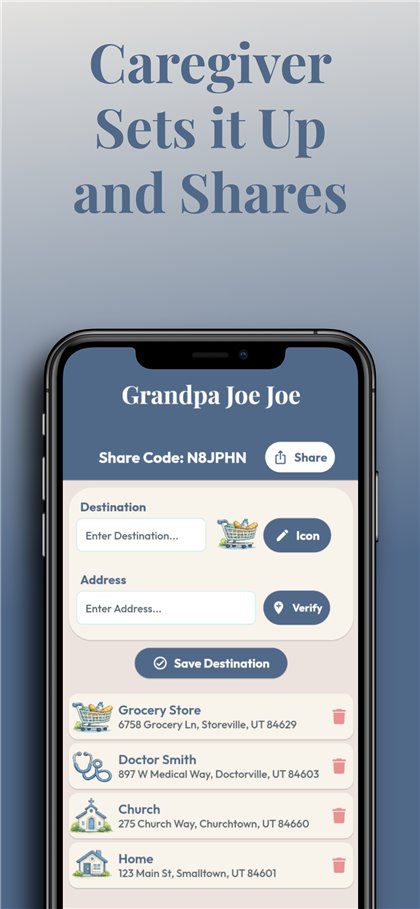
- Create a destination list with places your loved one visits often.
- Share the setup code so they can open the same list on their device.
- Tap a saved destination to start directions. With Premium, caregivers can receive trip status notifications.
When to use NaniNavi
Set up a grocery store, a family member’s house, or the library ahead of time. Keeping routine stops together saves your loved one from searching for the right address on every trip.
Frequently asked questions
- Can I see my loved one’s location on a live map?
- NaniNavi sends event-based notifications when a trip starts, is canceled, or reaches its destination. Continuous location tracking is unavailable.
- Do we need to create accounts?
- You can start without an account and share a setup code to connect the destination list.
Explore more apps
FamFind · Turn family photos into a search-and-find game set in illustrated worlds.